
Artificial Intelligence is changing the way we work, learn, create content, and manage our daily tasks. What once required hours of effort can now be completed in just a few minutes with the help of AI.
The best part? You don’t always need to spend money to enjoy these benefits.
In 2026, many AI platforms offer free versions that can help you write articles, create images, edit videos, research topics, translate languages, generate music, and even write code.
Whether you’re a student, blogger, freelancer, business owner, content creator, or simply curious about technology, there is an AI tool that can make your life easier.
But with so many options available, which ones are actually worth trying?
To help you get started, here are 20 free AI tools worth exploring in 2026, along with what they do and how they can help you.
1. ChatGPT – Your Everyday AI Assistant
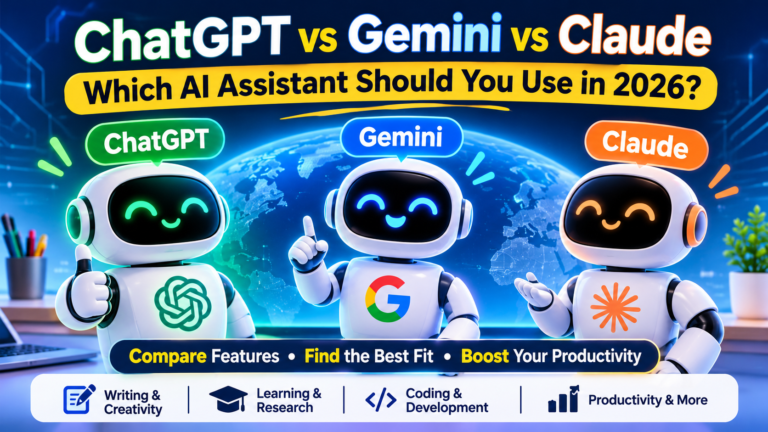
ChatGPT is one of the most popular AI assistants for everyday tasks. You can use it to write emails, create blog ideas, understand difficult topics, prepare study notes, brainstorm business ideas, and much more.
It is useful for beginners as well as professionals because you can simply describe what you need in normal language.
Best for: Writing, learning, brainstorming, research support, and everyday productivity.
Website: https://chatgpt.com/
2. Google Gemini – AI for Everyday Work
Google Gemini is an AI assistant that can help you understand information, generate ideas, write content, and work with different types of tasks.
It is especially useful if you already use Google services. You can ask questions, explore topics, organise ideas, and get help with everyday work.
Best for: General assistance, learning, writing, and Google-related workflows.
Website: https://gemini.google.com/
3. Claude – A Helpful Tool for Writing and Thinking
Claude is an AI assistant known for its natural writing style and ability to work with longer instructions and documents.
You can use it to improve articles, summarise information, organise research, explain complicated subjects, and develop creative ideas.
Best for: Long-form writing, editing, summarising, and detailed explanations.
Website: https://claude.ai/
4. Microsoft Copilot – Your AI Productivity Partner
Microsoft Copilot helps users find information, generate content, explore ideas, and complete everyday digital tasks.
It can be useful when you need help preparing a document, understanding a topic, or getting inspiration for a project.
Best for: Everyday productivity, writing assistance, and general questions.
Website: https://copilot.microsoft.com/
5. Perplexity – AI-Powered Research Assistant
Searching online can take a lot of time, especially when you need information from several sources. Perplexity makes research easier by providing conversational answers with links to supporting sources.
It is a useful starting point for exploring topics, comparing information, and finding material for further reading.
Best for: Online research, topic discovery, and finding sources.
Website: https://www.perplexity.ai/
6. Google NotebookLM – Understand Your Documents Faster
NotebookLM is a useful AI research assistant that works with the sources you provide, such as documents, notes, and supported links.
You can ask questions about your uploaded material, create summaries, and explore important ideas without reading every page manually.
It can be particularly helpful for students, researchers, and people working with large amounts of information.
Best for: Studying, document summaries, and research.
Website: https://notebooklm.google.com/
7. Grammarly – Improve Your Writing
Good writing is important for blogs, emails, assignments, business communication, and social media.
Grammarly helps you identify grammar mistakes, spelling problems, and unclear sentences. It can also suggest ways to make your writing easier to understand.
Its free features are useful for people who want to communicate more clearly.
Best for: Grammar, spelling, clarity, and writing improvement.
Website: https://www.grammarly.com/
8. DeepL – Make Language Translation Easier
Language should not be a barrier to learning or communication.
DeepL helps translate text between supported languages and can make written communication easier for people working with international audiences.
It is useful for understanding foreign-language content, translating messages, and improving translated text.
Best for: Translation and multilingual communication.
Website: https://www.deepl.com/
9. Canva – Create Beautiful Designs Easily
Canva is a popular design platform with AI-powered features that help users create attractive visual content.
You can use it to design social media posts, presentations, posters, invitations, thumbnails, and other graphics.
You do not need professional design experience to get started. Canva offers templates and simple editing tools that make the process easier.
Best for: Graphic design, presentations, social media posts, and marketing visuals.
Website: https://www.canva.com/
10. Adobe Express – Simple Content Creation
Adobe Express makes it easier to create professional-looking graphics and short videos.
It offers templates and creative tools for social media content, posters, flyers, and promotional designs. Some AI-powered features are also available.
It is a good option for people who want attractive designs without learning complicated software.
Best for: Posters, social media graphics, and quick visual content.
Website: https://www.adobe.com/express/
11. Ideogram – Turn Text Ideas into Images
Ideogram is an AI image-generation platform that can turn written descriptions into visual designs.
You can describe the image you want and explore different creative results. It can be useful for posters, illustrations, concept art, and social media graphics.
Best for: AI images, creative concepts, and poster designs.
Website: https://ideogram.ai/
12. Microsoft Designer – Create Visuals with AI
Microsoft Designer helps users create visual content using templates and AI-powered design features.
You can explore ideas for invitations, social media posts, banners, and other creative projects.
It is a convenient choice for people who want to turn a simple idea into an attractive design.
Best for: Quick graphics, invitations, and social media designs.
Website: https://designer.microsoft.com/
13. Gamma – Create Presentations in Less Time
Creating a presentation from a blank page can be difficult. Gamma helps you turn an idea or written outline into a structured presentation.
It can help organise information, suggest layouts, and make your slides look more polished.
Students, teachers, freelancers, and business professionals may find it especially useful.
Best for: Presentations, visual documents, and project ideas.
Website: https://gamma.app/
14. Napkin AI – Turn Ideas into Visual Explanations
Sometimes a diagram can explain an idea better than a long paragraph.
Napkin AI helps transform written information into visual elements such as diagrams, flowcharts, and illustrations.
It can be useful when preparing reports, presentations, lessons, or business explanations.
Best for: Diagrams, flowcharts, and visual storytelling.
Website: https://www.napkin.ai/
15. CapCut – Make Video Editing Easier
Video content is everywhere, from short social media clips to educational videos and product promotions.
CapCut offers editing tools and AI-powered features that can help with captions, effects, background editing, and video creation.
It is a useful option for beginners who want to make engaging videos without using complicated editing software.
Best for: Short videos, social media content, and basic video editing.
Website: https://www.capcut.com/
16. ElevenLabs – Create AI Voiceovers
If you make videos, tutorials, presentations, or other digital content, voiceovers can make your work more engaging.
ElevenLabs offers AI voice-generation tools that turn written text into spoken audio. It supports different voices and languages, depending on the available features.
Best for: Voiceovers, narration, and audio content.
Website: https://elevenlabs.io/
17. Suno – Explore AI Music Creation
Have you ever wanted to create a song but did not know how to produce music?
Suno allows users to experiment with AI-generated music by describing the type of song they want. You can explore different styles, moods, and musical ideas.
It is a fun tool for creative experiments and music inspiration.
Best for: AI music, songwriting experiments, and creative audio.
Website: https://suno.com/
18. GitHub Copilot – AI Assistance for Coding
Learning to code or building software can involve a lot of repetitive work.
GitHub Copilot provides AI-powered coding assistance inside supported development environments. It can suggest code, explain programming concepts, and help developers work through problems.
It can be useful for beginners learning programming as well as experienced developers.
Best for: Coding assistance, programming practice, and software development.
Website: https://github.com/features/copilot
19. Google AI Studio – Experiment with AI Models
Google AI Studio is a platform where developers, students, and curious users can experiment with Google’s AI models.
You can test prompts, explore model capabilities, and build early ideas for AI-powered applications.
It is particularly useful for people who want to understand how AI works beyond simply chatting with an assistant.
Best for: AI experiments, prompt testing, and application development.
Website: https://aistudio.google.com/
20. Hugging Face – Explore Thousands of AI Projects
Hugging Face is a platform where people can discover and experiment with AI models, datasets, and community-built applications.
It offers a wide range of projects covering language, images, audio, machine learning, and more.
It is a great place for learners, developers, and technology enthusiasts who want to explore the wider AI ecosystem.
Best for: Exploring AI models, experimenting, and learning about machine learning.
Website: https://huggingface.co/
Quick Comparison: Which AI Tool Should You Try?
Here is a simple overview to help you choose the right tool for your needs.
| Your Need | Tools to Try |
| Everyday AI assistance | ChatGPT, Gemini, Claude |
| Online research | Perplexity, NotebookLM |
| Writing improvement | Grammarly, DeepL |
| Graphic design | Canva, Adobe Express |
| AI image creation | Ideogram, Microsoft Designer |
| Presentations | Gamma |
| Diagrams and flowcharts | Napkin AI |
| Video editing | CapCut |
| AI voiceovers | ElevenLabs |
| Music creation | Suno |
| Coding | GitHub Copilot |
| AI experiments | Google AI Studio, Hugging Face |
Are These AI Tools Really Free?
Most tools on this list offer a free plan, free access, or limited free usage. However, free does not always mean unlimited.
Some platforms provide a limited number of daily or monthly uses. Others offer free credits, while certain advanced features may require a paid subscription.
Before using any tool regularly, check its official pricing page and free-plan conditions. Availability and features can also vary by country.
For example, ChatGPT provides a free tier with access to selected features and usage limits. Google also offers free access to some AI tools and services within defined limits.
The important thing is to understand what is included before you depend on a tool for your work.
How to Choose the Right AI Tool
You do not need to use all 20 tools. In fact, using too many tools can make your work more confusing.
Start by identifying what you want to achieve.
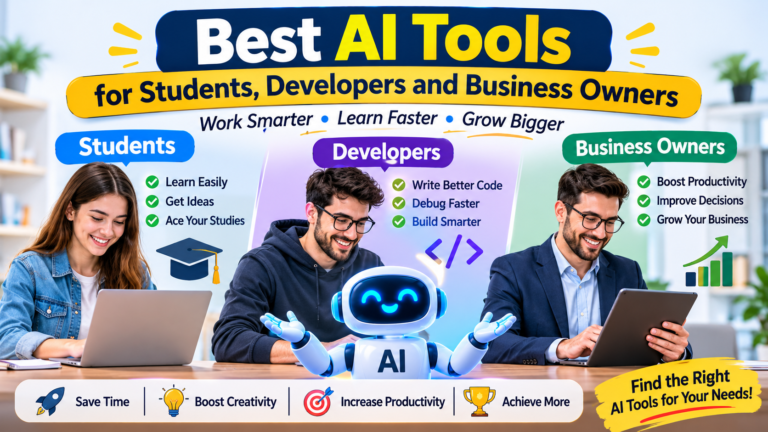
- If you are a student: Try ChatGPT, Gemini, NotebookLM, and Grammarly.
- If you are a blogger: Explore ChatGPT, Claude, Perplexity, Canva, and Grammarly.
- If you are a content creator: Try Canva, CapCut, Ideogram, and ElevenLabs.
- If you are a business owner: Explore ChatGPT, Copilot, Gamma, and Canva.
- If you are a developer: Start with GitHub Copilot, Google AI Studio, and Hugging Face.
Try two or three tools first. Once you understand how they work, you can decide whether you need more.
Important Things to Remember When Using AI
AI can save time, but it should not replace your own thinking.
Always check important facts before publishing or sharing AI-generated information. Do not upload confidential business documents, private information, or sensitive personal data unless you understand the platform’s privacy and data-use settings.
If you create content for clients or businesses, check the tool’s terms for commercial use, copyright, and ownership. These conditions can differ between platforms and free plans.
Use AI as an assistant, not as a substitute for your judgement and creativity.
Final Thoughts
AI tools are making technology more accessible to people around the world. You no longer need advanced technical knowledge or an expensive computer programme to start exploring what AI can do.
From writing and designing to research, video editing, music, and coding, there are plenty of useful tools to try without immediately paying for a subscription.
The best tool is not necessarily the most popular one. It is the one that solves your problem, saves your time, and fits your workflow.
So, choose one tool from this list, try it today, and see how it can improve the way you work.
You do not need to be an AI expert to get started. You just need to be curious and willing to learn.
Frequently Asked Questions
1. What are the best free AI tools in 2026?
Some useful options include ChatGPT, Gemini, Claude, Perplexity, NotebookLM, Canva, CapCut, Grammarly, and GitHub Copilot. The best choice depends on what you want to do.
2. Can I use free AI tools without technical knowledge?
Yes. Many AI tools are designed for beginners. You can usually get started by typing a question, uploading supported content, or selecting a template.
3. Are free AI tools safe to use?
Many established platforms provide privacy and security information, but you should always review their terms and settings. Avoid sharing passwords, financial details, confidential documents, or sensitive personal information.
4. Can AI tools help me earn money?
AI tools can support activities such as writing, graphic design, video editing, programming, and marketing. However, they do not guarantee income. Your skills, quality of work, originality, and ability to find clients still matter.
5. Do free AI tools have limitations?
Yes. Free plans may have usage limits, fewer features, slower processing, watermarks, or restrictions on commercial use. Always check the current terms before using generated content for business purposes.
About the Author