
Imagine creating a website without spending weeks learning coding, hiring a developer, or struggling with complicated design software. What if you could simply describe your idea to an AI tool and watch it turn that idea into a website?
It sounds exciting, doesn’t it?
AI website builders and coding assistants are making this possible. Today, you can describe the website you want, and AI can help create page layouts, write content, suggest colours, generate code, and even build working website features.
But there is one important question:
Can AI really create a complete website from just one simple prompt?
Let’s explore how it works, what AI can build, which tools you can try, and what you should check before launching your website.
1. How Does AI Website Creation Work?
Traditional website development usually involves several steps: planning, designing, writing content, coding, testing, and publishing.
AI can help speed up many of these steps.
You start by describing your website idea in ordinary language. The AI then uses your instructions to create a design, generate text, suggest images, or produce website code.
For example, imagine entering this prompt:
“Create a modern website for a travel blog. Include a homepage, an About page, a travel destination section, a blog, and a contact form. Use a clean design, attractive travel images, and a layout that works on mobile phones.”
An AI website tool may turn this instruction into an initial website design.
Some tools can also help you edit the website through follow-up instructions, such as:
- Change the background colour to light blue.
- Add a contact section.
- Make the website easier to use on mobile.
- Create a separate page for travel guides.
- Add a button that takes visitors to the booking page.
The exciting part is that you can explain many changes without writing code yourself.
2. What Can AI Actually Create?
AI website tools can create much more than a simple homepage. Their capabilities depend on the platform and the instructions you provide.
Here are some examples.
A. Business Websites
AI can help create professional websites for small businesses, agencies, consultants, restaurants, and service providers.
Common sections include:
- Home
- About Us
- Services
- Customer Reviews
- Contact
- Frequently Asked Questions
B. Personal Blogs
Want to share your knowledge, experiences, or hobbies with the world?
AI can help create a blog layout with article categories, featured posts, author information, and search features.
C. Online Stores
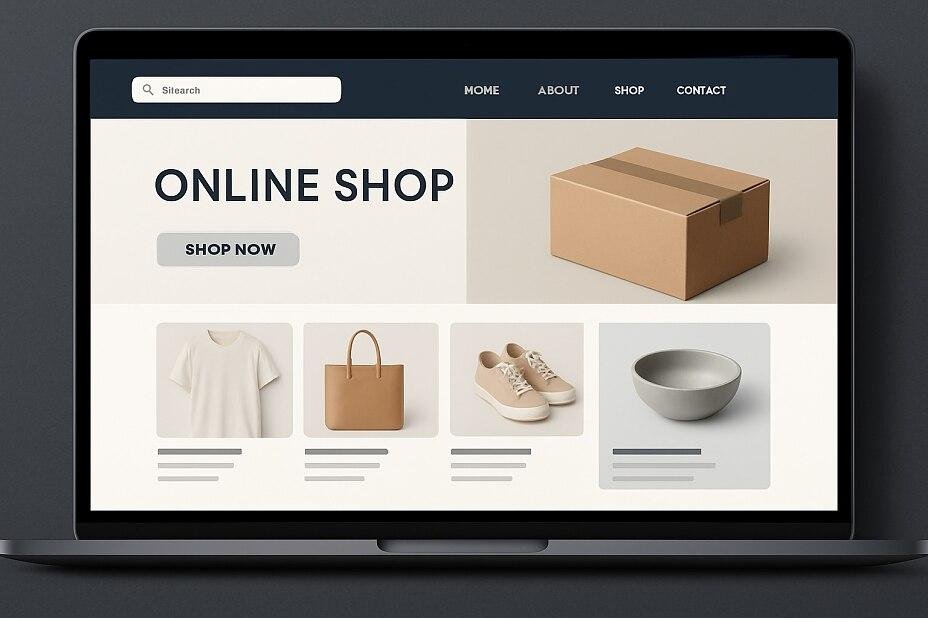
Some AI-powered website platforms can help create online shops with product pages, categories, shopping carts, and checkout integrations.
However, payment processing, inventory, shipping, taxes, and customer data require careful configuration and testing.
D. Portfolio Websites
Designers, photographers, writers, developers, and other professionals can use AI to create attractive portfolio websites.
These websites can include project galleries, personal introductions, skills, and contact information.
E. Landing Pages
AI can also help create focused landing pages for products, services, events, and marketing campaigns.
A landing page might include a headline, product benefits, images, testimonials, and a call-to-action button.
3. Popular AI Tools That Can Help You Build a Website
Several platforms offer different approaches to AI-assisted website creation.
1. Wix AI Website Builder
Wix offers AI-powered website creation features that help users build and customise websites through guided instructions.
What can it help create?
- Business websites
- Personal websites
- Blogs
- Service pages
- Online stores
Suitable for: Beginners, small businesses, and people who prefer a visual website editor.
Website: https://www.wix.com/
2. Hostinger AI Website Builder
Hostinger provides an AI website builder that can help generate website designs and content from user instructions.
What can it help create?
- Business websites
- Portfolio websites
- Blogs
- Landing pages
- Online stores
Suitable for: Beginners and small businesses looking for a guided website-building experience.
Website: https://www.hostinger.com/ai-website-builder
3. Framer AI
Framer offers AI-assisted website design and publishing features. It is particularly interesting for people who want modern-looking websites.
What can it help create?
- Creative portfolios
- Landing pages
- Startup websites
- Business websites
- Modern marketing pages
Suitable for: Designers, freelancers, startups, and creative professionals.
Website: https://www.framer.com/
4. Lovable
Lovable helps users create web applications by describing what they want in natural language.
It is useful for building more interactive ideas rather than only traditional website pages.
What can it help create?
- Web application prototypes
- Interactive dashboards
- Customer portals
- Forms and data-driven interfaces
- Early versions of online products
Suitable for: Entrepreneurs, developers, and people experimenting with web applications.
Website: https://lovable.dev/
5. Replit
Replit provides an AI-assisted development environment where users can describe an application and work with AI to build and improve it.
What can it help create?
- Websites
- Web applications
- Interactive tools
- Prototypes
- Projects involving code and databases
Suitable for: Learners, developers, and people who want to experiment with building functional applications.
Website: https://replit.com/
6. WordPress with AI Tools
WordPress is a widely used website platform. AI features and compatible plugins can help users create content, design pages, and improve their website-building workflow.
What can it help create?
- Blogs
- Business websites
- News websites
- Online stores
- Membership websites
Suitable for: Bloggers, publishers, businesses, and people who want flexibility and control over their websites.
Website: https://wordpress.org/
4. Quick Comparison of AI Website Tools
| Tool | Main strength | Suitable for |
| Wix AI | Guided website creation | Beginners and businesses |
| Hostinger AI | AI-assisted website building | Small websites and blogs |
| Framer AI | Modern visual design | Designers and startups |
| Lovable | Interactive web applications | Entrepreneurs and creators |
| Replit | AI-assisted coding | Developers and learners |
| WordPress | Flexible website management | Bloggers and businesses |
There is no single tool that is perfect for everyone. Compare the features, costs, publishing options, and level of control before choosing one.
5. Can One Simple Prompt Build an Entire Website?
Here is where we need to be realistic.
A simple prompt can sometimes create a useful first version of a website. However, a professional website usually needs more than one instruction.
Think about building a house. You can explain what kind of house you want, but the architect still needs to consider the rooms, structure, materials, safety, and details.
Website creation works in a similar way.
A prompt may create the first design, but you may still need to improve:
- Page layouts
- Navigation menus
- Website content
- Images and branding
- Contact forms
- Mobile layouts
- Search engine settings
- Security and privacy
- Payment and booking features
AI gives you a starting point. Your instructions, testing, and decisions help turn that starting point into a reliable website.
6. A Powerful Prompt to Create Your First Website
Want to experiment? Try this prompt with an AI website builder or coding assistant that supports website creation.
Copy and customise this example:
“Act as an experienced website designer and developer. Create a modern, professional website for a digital technology blog.
The website should include:
- A clean and attractive homepage.
- An About Us page.
- A blog section with article categories.
- A contact page with a working contact form.
- A search feature.
- A mobile-friendly layout.
- Clear navigation and attractive buttons.
- A modern colour scheme with readable fonts.
- Basic SEO-friendly page titles and descriptions.
Use simple English, professional images, and an easy-to-use design. Make the website fast, accessible, and suitable for visitors from different countries.
First create the website structure and design. Then explain which features need additional setup before publishing.”
This prompt gives the AI a clear direction. You can replace the technology blog with a restaurant, travel business, online shop, portfolio, or any other idea.
7. How to Improve Your AI-Generated Website
The first version is only the beginning. A few improvements can make a big difference.
Give Your Website a Clear Identity
Tell AI the website name, purpose, audience, and preferred design style.
Use Good Images
Images help visitors understand your business and make your website more attractive. Use original images or properly licensed visual resources.
Keep Navigation Simple
Visitors should be able to find important pages without confusion.
Make It Mobile-Friendly
Many people browse websites using smartphones. Check how every page looks on smaller screens.
Add Useful Content
A beautiful website is not enough. It should answer visitors’ questions and provide real value.
Test Every Important Feature
Click every button, submit every form, check every link, and test the website on different devices and browsers.
8. What AI Still Cannot Guarantee
AI website creation is impressive, but it has limitations.
Perfect design: The first design may not match your expectations.
Error-free code: AI-generated code can contain bugs and security problems.
Working integrations: Payment systems, booking tools, email services, and databases may require extra configuration.
Search engine success: AI cannot guarantee high rankings or large amounts of website traffic.
Legal compliance: Privacy policies, cookie notices, accessibility requirements, and business rules need proper attention.
Website security: You must protect accounts, customer information, forms, and payment systems.
Always review and test your website before making it public.
9. Who Can Benefit from AI Website Creation?
AI website tools can be useful for many people.
- Students: Build personal projects and learn how websites work.
- Bloggers: Create a platform for sharing articles and ideas.
- Small business owners: Develop an online presence.
- Freelancers: Display services, experience, and previous work.
- Entrepreneurs: Test a business idea with an early website.
- Developers: Speed up prototyping and repetitive development tasks.
- Content creators: Build websites to support their online audience.
You do not need to be an expert to get started. A clear idea and a willingness to experiment are often enough for a first project.
10. The Future of Website Building with AI
Website creation is becoming more accessible. AI is helping people move from an idea to a working design with fewer technical barriers.
As these tools improve, we may see more personalised websites, smarter design suggestions, faster development, and easier ways to create interactive online experiences.
However, good websites will still need something that technology alone cannot guarantee: a clear purpose, useful information, thoughtful design, and an understanding of visitors.
AI can help build the website, but people still decide what makes it worth visiting.
Final Verdict: Can AI Create a Complete Website from a Simple Prompt?
Yes, AI can create a strong first version of a website from a simple prompt. Some platforms can even generate and publish websites with very little manual coding.
But a truly complete and professional website usually needs additional instructions, testing, content improvements, and careful setup.
If you are a beginner, start with a small project. Try an AI website builder, describe your idea, review the first result, and improve it step by step.
You might be surprised by how much you can create.
Your next website could begin with just one idea and a simple sentence.
About the Author