
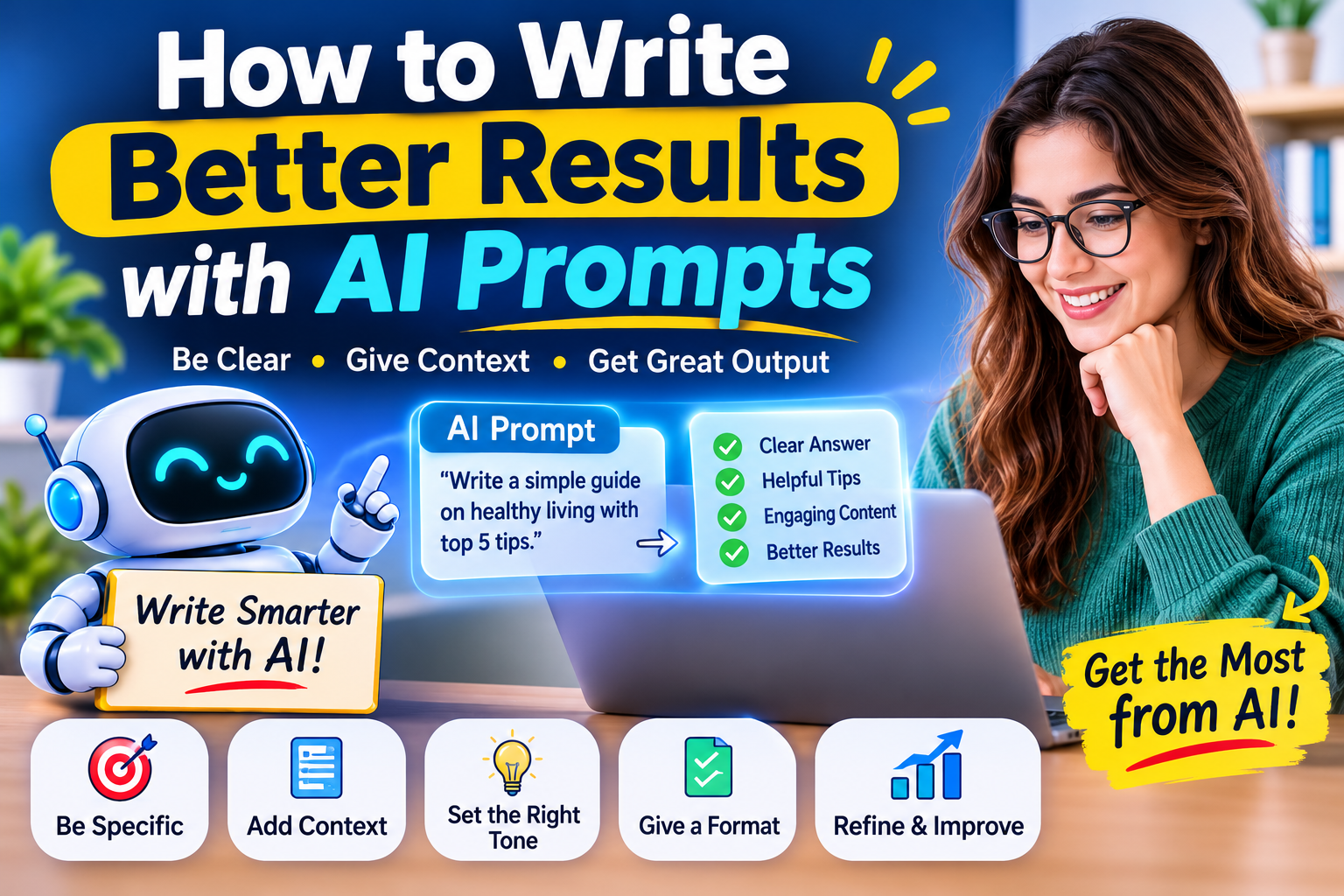
Artificial Intelligence is changing the way we work, learn, create, and solve everyday problems. From writing emails and creating social media posts to learning new skills and planning projects, AI tools can help us complete many tasks more easily.
But have you ever asked an AI tool a question and received an answer that was completely different from what you expected?
The problem may not be the AI tool. It may be the way you asked the question.
That is where AI prompts become important.
A prompt is simply the instruction or question you give to an AI tool. The clearer your prompt is, the easier it is for the tool to understand what you need.
In this guide, you will learn how to write better AI prompts, avoid common mistakes, and get more useful results with simple techniques.
1. Be Clear About What You Want
One of the most important rules of writing a good prompt is to be clear.
A short and unclear instruction can lead to a general answer. Instead of asking something broad, explain exactly what you want.
Weak prompt:
“Write about fitness.”
Better prompt:
“Write a beginner-friendly article about the benefits of daily exercise. Use simple English, include five practical tips, and keep the tone friendly and encouraging.”
The second prompt gives the AI a clear direction. It explains the topic, audience, style, and expected content.
Remember: A clear request gives you a better starting point.
2. Give the AI Enough Context
Context helps AI understand your situation.
Think about explaining a task to a new team member. You would not simply say, “Make something good.” You would explain the purpose, audience, and result you expect.
For example, instead of writing:
“Create a marketing post.”
Try:
“Create a social media post for a small online clothing store. The target audience is young adults. Highlight comfortable everyday clothing, use a friendly tone, and finish with a simple call to action.”
Now the AI has a better understanding of the task.
Useful context can include:
- Your topic or business.
- Your target audience.
- The purpose of the content.
- Important details or background information.
- Any requirements the answer should follow.
You do not need to provide every detail. Just include the information that can change the quality of the result.
3. Tell AI Who the Content Is For
The same topic can be explained in many different ways.
A school student, a business owner, a software developer, and a beginner may all need different answers.
That is why you should mention your audience.
Example prompt:
“Explain how cloud computing works for someone who has no technical knowledge. Use simple words and everyday examples.”
You can also ask for content suitable for:
- Beginners.
- Students and teachers.
- Business owners.
- Professionals.
- Content creators.
- Technical experts.
When AI knows who will read the answer, it can adjust the language, detail, and examples.
4. Choose the Right Tone and Writing Style
Do you want your content to sound professional, friendly, educational, creative, or conversational?
Tell the AI.
For example:
“Write a blog introduction about healthy eating in a natural and friendly tone. Use simple English and make it interesting for readers around the world. Avoid complicated words and unnecessary technical language.”
Here are some useful style instructions:
- Friendly: Make the answer warm and easy to understand.
- Professional: Use clear and respectful business language.
- Educational: Explain ideas step by step.
- Creative: Use interesting examples and fresh ideas.
- Conversational: Make the writing feel natural and engaging.
A good prompt does not just explain what to write. It also explains how the writing should feel.
5. Ask for a Specific Format
Sometimes the answer is useful, but the presentation is not what you need.
You can solve this by telling AI how to organise the response.
For example, ask for:
- A step-by-step guide.
- A comparison table.
- A numbered list.
- A short summary.
- Frequently asked questions.
- A blog post with headings and subheadings.
- A checklist or action plan.
Example prompt:
“Explain the advantages and disadvantages of remote work in a comparison table. Include five points for each side and finish with a short conclusion.”
The format makes the result easier to read and use.
6. Give Examples of the Result You Expect
Examples can make your instructions much easier to understand.
Suppose you want product descriptions for an online store. You can provide one example of the style you like and ask AI to follow a similar structure.
Example prompt:
“Write a product description for a reusable water bottle. Follow this structure: a short introduction, three key benefits, product details, and a closing sentence. Keep the language simple and persuasive.”
You can also share a sample paragraph and say:
“Use a similar tone and structure, but create completely original wording for this new topic.”
Examples guide the style without requiring long explanations.
7. Improve the Answer Through Follow-Up Questions
Your first prompt does not have to produce the perfect result.
One of the best ways to work with AI is to improve the answer step by step.
After receiving a response, you can ask:
- “Make this explanation easier to understand.”
- “Add more practical examples.”
- “Make the introduction more engaging.”
- “Remove repeated information.”
- “Use shorter paragraphs.”
- “Explain this point in more detail.”
- “Make the tone more natural and friendly.”
This process is called refining your prompt or response.
Think of AI as a working partner. You provide direction, review the result, and guide it towards what you need.
8. Use This Simple Formula for Better AI Prompts
You do not need to learn complicated technical terms to write effective prompts.
Try this simple formula:
Role + Task + Context + Audience + Format + Tone
Here is what each part means:
| Prompt element | What to include |
| Role | What kind of expert or helper should AI act as? |
| Task | What do you want it to do? |
| Context | What background information does it need? |
| Audience | Who will use or read the result? |
| Format | How should the answer be organised? |
| Tone | How should the answer sound? |
A ready-to-use prompt template
“Act as a [role]. Help me [task]. The background is [context]. This is for [audience]. Present the answer as [format]. Use a [tone] tone and include [important requirements].”
Example
“Act as an experienced content writer. Write a blog post about time management for beginners. The article is for a worldwide audience. Use simple English, a friendly tone, clear headings, practical examples, and a short conclusion.”
You can adapt this formula for writing, studying, business, research, planning, and many other activities.
9. Common Prompt-Writing Mistakes to Avoid
Even a powerful AI tool may produce an unhelpful answer when the instructions are unclear.
Here are some common mistakes to avoid:
Being too vague: Give a clear task instead of asking for something general.
Providing too little context: Explain the purpose and audience when they matter.
Combining too many tasks: Break a complicated request into smaller steps.
Ignoring the output format: Say whether you need a list, table, email, report, or article.
Accepting every answer without checking: Review important facts, dates, calculations, and references.
Sharing private information: Avoid entering passwords, financial details, confidential business information, or sensitive personal data unless you have checked that the tool and its data settings are appropriate.
Expecting perfection from one prompt: Review the response and ask for improvements.
10. Practical AI Prompts You Can Use Every Day
Here are some ready-to-use examples for different situations.
For content creators
“Act as a professional content writer. Suggest 10 original blog ideas about digital technology for a worldwide audience. Use simple language and make each idea interesting and useful.”
For students
“Explain the water cycle in simple English for a beginner. Use everyday examples, clear headings, and a short quiz at the end.”
For business owners
“Create a simple marketing plan for a small online business. Include target customers, content ideas, marketing channels, and practical steps.”
For email writing
“Write a polite and professional email asking a customer for an update. Keep it short, clear, and friendly.”
For learning a new skill
“Create a 30-day beginner learning plan for [skill]. Divide it into weekly goals and daily activities. Include free or low-cost learning ideas where possible.”
For problem-solving
“Help me understand this problem step by step. Explain the possible causes, suggest practical solutions, and mention any risks or limitations.”
You can replace the words inside the brackets with your own topic or requirements.
11. Does a Longer Prompt Always Give Better Results?
Not necessarily.
A longer prompt is not automatically a better prompt. What matters most is whether the instructions are relevant, clear, and complete.
For a simple question, one sentence may be enough.
For a detailed project, you may need to provide background information, examples, requirements, and a preferred format.
The goal is not to write the longest possible prompt. The goal is to give AI the right information to complete your task.
12. Always Review AI-Generated Results
AI can save time and help you explore ideas, but its answers are not always correct.
It may misunderstand your instructions, produce outdated information, or present an incorrect statement with confidence.
Before using an AI-generated answer:
- Check important facts using reliable sources.
- Review names, dates, figures, and calculations.
- Make sure the answer addresses your original question.
- Edit the content to match your own voice and purpose.
- Check that you have permission to use any images, text, or other material included in your work.
For professional, academic, financial, medical, or legal topics, take extra care and consult appropriate qualified sources when needed.
Final Thoughts: Better Prompts Lead to More Useful Results
AI tools can be valuable assistants, but the quality of their responses often depends on the instructions you provide.
Start with a clear task. Add useful context. Explain your audience. Choose the right tone and format. Then review the answer and improve it with follow-up instructions.
You do not need to be a technology expert to write better AI prompts. A little practice can make a big difference.
The secret is simple: do not just ask AI a question. Explain what you really need.
Start experimenting with these techniques today and discover how much more useful AI can become in your everyday work.
Frequently Asked Questions
1. What is an AI prompt?
An AI prompt is a question, instruction, or set of details that you give to an AI tool to guide its response.
2. How can I get better answers from AI?
Be clear about your task, provide relevant context, mention your audience, choose a format, and refine the answer when needed.
3. Do I need technical knowledge to write good prompts?
No. Anyone can write useful prompts using simple, clear language. You do not need coding skills or technical training.
4. Can I use the same prompt with different AI tools?
Yes. You can often adapt the same prompt for different AI assistants. However, their responses and available features may vary.
5. Should I trust every answer generated by AI?
No. AI can make mistakes. Always verify important information, especially when accuracy matters.
6. What is the easiest way to improve my prompt-writing skills?
Practise with everyday tasks. Try different instructions, compare the results, and notice which details help the AI understand your needs.
Editorial note: AI tools and their features change over time. Review important information before publishing or relying on it.
About the Author