
A Beginner-Friendly Guide to Creating AI Agents Using No-Code and Low-Code Tools
Artificial Intelligence is changing the way people work, communicate, and manage everyday tasks. Until recently, building an AI-powered application usually required programming knowledge, technical expertise, and a good understanding of machine learning. But things are changing quickly.
Today, you can build an AI agent without being an experienced programmer. With the help of no-code and low-code platforms, beginners, students, entrepreneurs, and business owners can create AI agents that answer questions, manage information, automate repetitive tasks, and interact with different applications.
The interesting part is that you do not need to build everything from scratch. Many platforms provide ready-made components, visual workflows, AI models, and integrations that make the process much easier.
In this guide, we will explore how to build your first AI agent with minimal coding, which tools you can use, and how to turn a simple idea into a working AI-powered assistant.
1. First, Understand What an AI Agent Actually Is
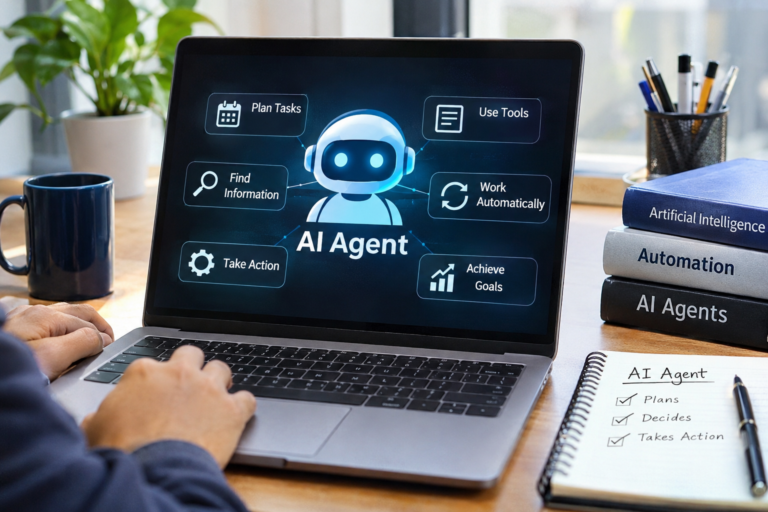
An AI agent is a software system that uses artificial intelligence to understand a task, make decisions, and take actions to achieve a particular goal.
Unlike a traditional chatbot that mainly responds to questions, an AI agent can perform multiple steps to complete a task.
For example, imagine you run an online business and receive dozens of customer enquiries every day.
A traditional chatbot might answer questions about your products. However, an AI agent could:
- Understand what a customer wants.
- Check product information from a connected database.
- Identify the most suitable product.
- Retrieve relevant order information.
- Prepare a response for the customer.
- Forward complicated enquiries to a human support representative.
This ability to connect information, reasoning, and actions makes AI agents useful for real-world applications.
2. Decide What You Want Your First AI Agent to Do
Before opening any AI development platform, decide what problem you want to solve.
One common mistake beginners make is trying to create an advanced AI assistant with too many features right from the beginning.
Instead, start with one specific task.
Here are some beginner-friendly AI agent ideas:
| AI Agent Idea | What It Can Do |
|---|---|
| Customer Support Agent | Answer frequently asked questions |
| Website Assistant | Help website visitors find information |
| Email Assistant | Categorise and draft email responses |
| Research Agent | Collect and summarise information |
| Lead Qualification Agent | Identify and organise potential customers |
| Study Assistant | Explain topics and create study notes |
For your first project, I recommend building a website customer support agent.
It is relatively simple to understand, useful for businesses, and gives you an opportunity to explore how AI agents work.
3. Choose a No-Code or Low-Code AI Agent Builder
You do not need to develop your own AI infrastructure. Several platforms provide visual interfaces that allow you to create AI-powered workflows.
Here are some tools worth exploring.
n8n Logo PNG Vector, Icon Free Download
1. n8n
An automation platform that connects AI models, APIs, databases, and applications through visual workflows. It is especially useful when you want more control over how your agent operates.
Best for: AI workflows and advanced automation.Explore n8n
Flowise IA – Plataforma visual para crear agentes de IA
2. Flowise
A visual platform for creating AI agents and LLM-powered applications. It offers a drag-and-drop approach to connecting models, memory, and tools.
Best for: Beginners exploring visual AI development.Explore Flowise
Dify | セキュリティDB | Dify – AIアプリケーション作成プラットフォーム | ノーコード | ローコード
3. Dify
Dify helps users create AI applications and agent workflows with visual configuration. You can connect knowledge sources and different language models.
Best for: Building AI applications with knowledge bases.Explore Dify
4. Zapier
Zapier connects thousands of applications and helps automate tasks. Its AI features can be used to build workflows without writing traditional code.
Best for: Connecting everyday business applications.Explore Zapier
Introducing Voiceflow’s New Look | Pathways
5. Voiceflow
Voiceflow provides a visual environment for designing conversational AI experiences and customer-facing assistants.
Best for: Website assistants and conversational experiences.Explore Voiceflow
You do not need to learn all these platforms. Pick one that matches your project and become comfortable with its basic features.
4. Create Your First AI Agent Step by Step
Let’s build a simple customer support agent that can answer questions using information from a business website.
For this example, imagine you own an online store and want an assistant that can answer questions about products, delivery, returns, and company policies.
Auto Chatbot for a Website – Collect Customer Info & Redirect to Support – Questions – n8n Community
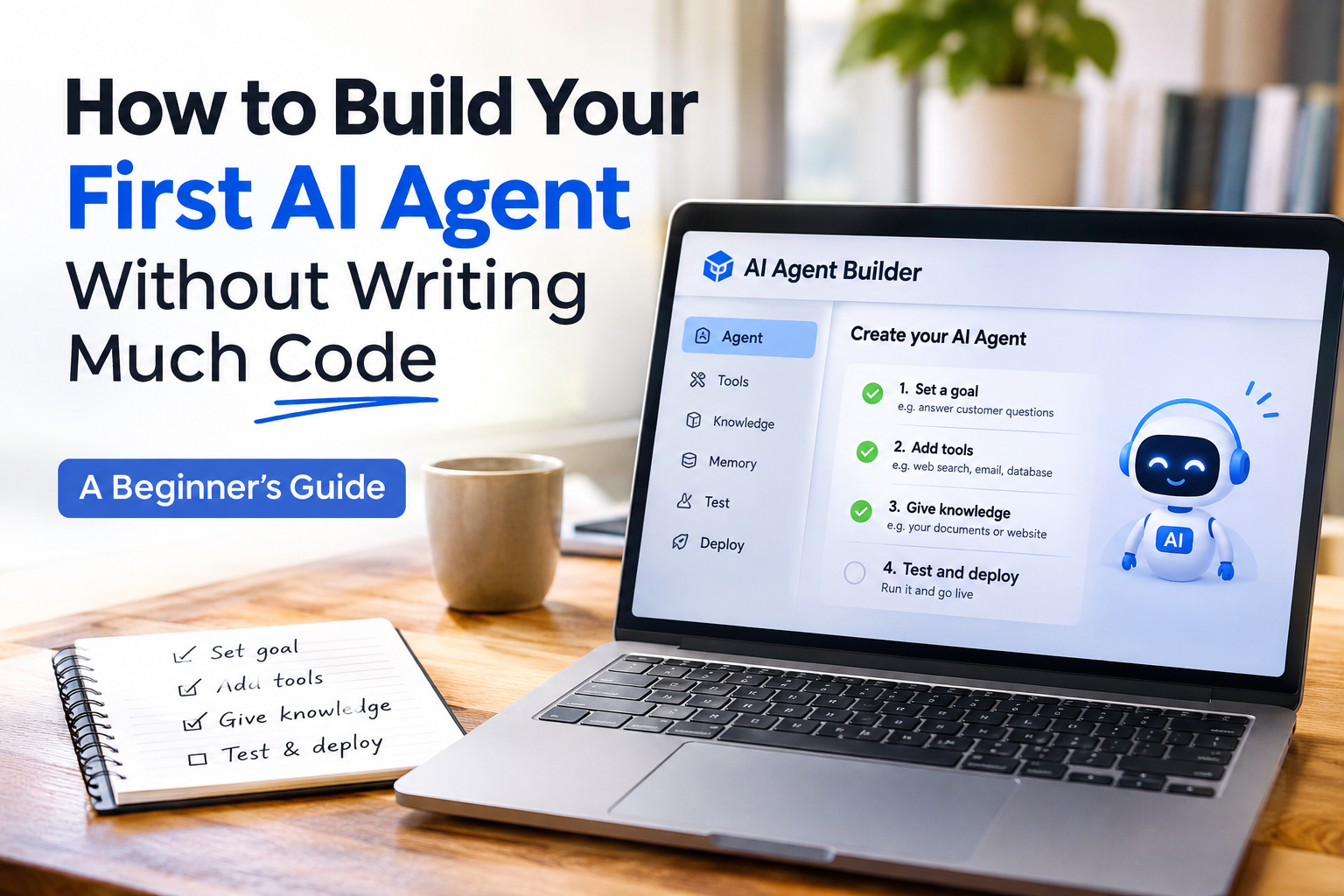
Step 1: Create an Account
Choose a platform such as Dify or Flowise and create an account.
Once you enter the dashboard, look for an option such as:
- Create Application
- New Agent
- Build Workflow
- Create Chatbot
The exact name depends on the platform.
Start with a basic agent or chatbot template if one is available.
Step 2: Give Your Agent a Clear Goal
Every useful AI agent needs a clearly defined purpose.
For our customer support example, the goal could be:
“Help customers understand our products, delivery options, return policies, and frequently asked questions. Provide clear and helpful answers using the information available in the connected knowledge base.”
This instruction helps the AI understand what it should do and what type of questions it should handle.
Avoid giving your first agent too many responsibilities.
Step 3: Connect an AI Model
Your agent needs an AI model to understand customer messages and generate responses.
Depending on the platform, you may be able to connect models from providers such as:
- OpenAI
- Anthropic
- Google Gemini
- Mistral AI
Some platforms offer built-in model connections, while others require an API key.
An API key works like a secure access credential that allows your application to communicate with an AI service.
Keep your API keys private and never expose them in public website code.
Step 4: Give Your Agent Knowledge
An AI model does not automatically know the private details of your business.
You need to provide relevant information.
For example, you can upload:
- Product catalogues.
- Frequently asked questions.
- Delivery information.
- Return and refund policies.
- Company information.
- Customer support documentation.
Many AI platforms provide a feature called a knowledge base.
A knowledge base allows your agent to retrieve relevant information from your documents before generating an answer.
Some platforms use a technique called Retrieval-Augmented Generation (RAG). It helps the AI find relevant information from your supplied documents rather than relying only on its general training.
Step 5: Connect Tools and Actions
This is where your chatbot starts becoming more useful as an AI agent.
Tools allow an agent to interact with external applications and services.
For example, you could connect:
- Google Sheets to retrieve product information.
- A CRM to access customer records.
- An email service to prepare customer responses.
- An order management API to check order status.
- A website search tool to retrieve relevant pages.
Not every first project needs these integrations. Start with a knowledge base and add tools when you have a clear reason to use them.
Step 6: Test Your AI Agent
Never assume your agent is working correctly just because it produces a response.
Test it with realistic questions.
For example:
| Customer Question | Expected Behaviour |
|---|---|
| What is your delivery time? | Retrieve delivery information |
| Can I return a product? | Explain the return policy |
| Where is my order? | Request order details or use an authorised order lookup |
| What products do you sell? | Retrieve product information |
| Can I speak to a human? | Explain how to contact support |
Also test questions that are not covered by your knowledge base.
Your agent should admit when it does not have enough information instead of inventing an answer.
Step 7: Deploy Your Agent
Once you are satisfied with the results, publish your agent.
Depending on the platform, you may be able to:
- Embed a chatbot on your website.
- Share a public chat link.
- Connect it through an API.
- Integrate it with other applications.
Your first AI agent is now ready for real-world testing.
5. How Does a No-Code AI Agent Work Behind the Scenes?
Although the process looks simple from the user’s perspective, several components work together behind the scenes.
Unlocking the Power of AI Agents: When LLMs Can Do More Than Just Talk
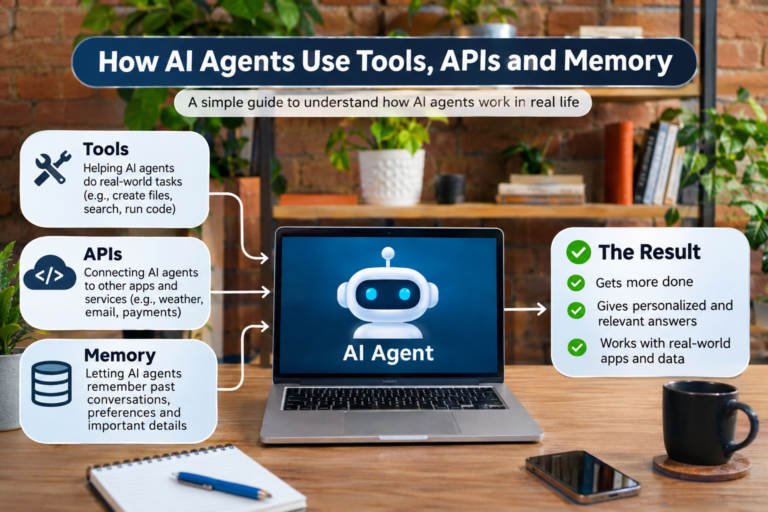
A typical AI agent includes the following components:
1. User Input: The agent receives a question, instruction, or request.
2. AI Model: The model interprets the request and determines what information or action may be needed.
3. Instructions: These define the agent’s role, responsibilities, boundaries, and expected behaviour.
4. Knowledge and Memory: Knowledge provides reference information, while memory may retain relevant context from earlier interactions.
5. Tools: These allow the agent to interact with external services, APIs, and applications.
6. Action and Response: The agent performs an authorised action and communicates the result to the user.
For example, when someone asks about an order, the agent may identify the request, call an order lookup tool, retrieve the available information, and present the result.
This is what makes an AI agent different from a simple question-and-answer chatbot.
6. Do You Need Programming Knowledge to Build an AI Agent?
The short answer is no, especially when you are starting with no-code platforms.
However, understanding a few technical concepts will make you a much better AI agent builder.
Here are some useful concepts to learn:
| Concept | Why It Matters |
|---|---|
| APIs | Help different applications communicate |
| Prompt Engineering | Helps define how your agent behaves |
| JSON | Common format for exchanging information |
| Webhooks | Allow applications to trigger workflows |
| Databases | Store and retrieve information |
| RAG | Helps agents retrieve relevant documents |
| Authentication | Protects access to connected services |
You do not need to master everything before building your first project.
Start building, and learn these concepts as you encounter them.
7. Common Mistakes Beginners Should Avoid
Building an AI agent is relatively accessible, but creating a reliable one requires careful planning.
Here are some mistakes worth avoiding.
Giving the agent too many responsibilities
An agent designed to do everything may become difficult to manage. Start with one clearly defined problem.
Using unclear instructions
If you do not explain what your agent should and should not do, its responses may become inconsistent.
Ignoring testing
Test normal questions, unusual questions, missing information, and unexpected inputs before deployment.
Connecting unnecessary tools
Every additional integration introduces complexity and potentially new security risks. Only connect tools that genuinely help complete the task.
Ignoring data privacy
Avoid exposing confidential customer information or API credentials. Use appropriate authentication, access restrictions, and human approval for sensitive actions.
Trusting every AI-generated response
AI agents can misunderstand instructions or produce incorrect information. Important decisions and sensitive actions should have suitable human oversight.
8. What Should You Build After Your First AI Agent?
Once you successfully create a basic customer support agent, you can gradually explore more advanced projects.
Here are five interesting ideas:
AI Client Email Drafting Agent | Cassidy AI
AI Email Assistant
An assistant that categorises incoming emails, identifies important messages, and drafts replies for approval.
How to Do Deep Research with AI in 2026
AI Research Agent
An agent that searches approved sources, collects information, and prepares structured research summaries.
AI-Powered Sales CRM | Higher Conversions & Forecasting
AI Sales Agent
An assistant that organises incoming leads, identifies customer requirements, and helps sales teams prioritise follow-ups.
How AI Is Personalising Online Education in 2026 — Edu AI Blog
AI Study Assistant
An educational assistant that explains difficult topics, generates quizzes, and creates revision notes.
AiTearoa: AI-First Products & Automation for New Zealand Businesses · AiTearoa
AI Business Automation Agent
An agent that coordinates approved business workflows across different applications and services.
9. Is No-Code AI Agent Development Worth Learning in 2026?
Absolutely, provided you focus on solving real problems rather than simply learning individual tools.
Businesses are exploring AI agents to improve customer support, reduce repetitive work, organise information, and streamline internal operations.
This creates opportunities for people who understand both AI technology and business requirements.
You could use these skills to:
- Build AI-powered solutions for small businesses.
- Create customer support assistants for websites.
- Develop automation workflows for companies.
- Offer AI implementation services.
- Build your own AI-powered products.
- Explore careers in AI automation and agent development.
However, knowing how to use a drag-and-drop platform alone is not enough. Understanding APIs, workflows, data handling, AI model limitations, and security will help you build more dependable solutions.
Conclusion
Building your first AI agent does not have to be a complicated programming project.
With today’s no-code and low-code platforms, you can start with a simple idea, connect an AI model, provide useful information, configure a few tools, and create an assistant that performs meaningful tasks.
The best approach is to start small. Build one agent that solves one genuine problem, test it with real-world scenarios, and improve it gradually.
You do not need to become an expert in artificial intelligence before getting started. What matters most is understanding the problem you want to solve and learning how to use the available technology effectively.
Your first AI agent does not need to be perfect. It just needs to be useful.
Frequently Asked Questions (FAQs)
1. Can I build an AI agent without coding?
Yes. Platforms such as Dify, Flowise, n8n, and Voiceflow provide visual tools that allow you to create AI-powered applications with little or no traditional programming.
2. Which platform is best for beginners?
Dify and Flowise are good starting points for experimenting with AI applications and agent workflows. Voiceflow is another option for conversational assistants.
3. Do I need an API key to build an AI agent?
Not always. Some platforms provide built-in model access, while others require an API key from an AI provider.
4. Can I add an AI agent to my website?
Yes. Many platforms support website embedding, chat widgets, or API integrations.
5. Are no-code AI agents suitable for businesses?
Yes, particularly for customer support, internal knowledge retrieval, lead management, and repetitive workflows. However, business-critical applications need proper testing, security, and human oversight.
6. How long does it take to build a basic AI agent?
A simple prototype can often be created in a few hours. A reliable business-ready solution may take considerably longer depending on integrations, testing, security, and the complexity of the task.
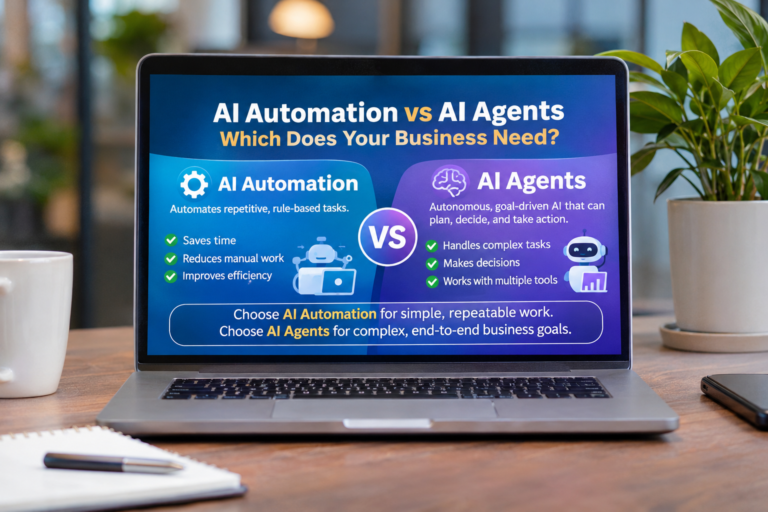
7. What is the difference between an AI chatbot and an AI agent?
A traditional chatbot primarily responds to user messages. An AI agent can also use tools, retrieve information, make decisions, and perform actions to complete a defined task.
About the Author